
Garis besar topik
-
Assalamualaikum wr. wb
Welcome to my class, my beloved students. It is very nice to meet all of you in this semester.
Hoping you all are in good condition and always be happy.Welcome to my subject of Bahasa Inggris, especially for the 1 semester students of Informatics Engineering Program. This subject consists of 2 SKS with 16 meetings include Mid Term and Final Exam. Pay attention with the rules of our teaching learning for this semester. The method of our teaching process is using explanation, discussion and answering and asking metods. The whole materials you can see and download from this lms. darmajaya. I really hope that all of you always be active and enjoy studying English with me in this teaching learning process.
May Allah bless us until the end of our study. Enjoy your class and have a nice learning.
Best Regards
Wassalamu'alaikum Wr. Wb
Betty Magdalena
-
Mata kuliah ini memberikan kesempatan kepada mahasiswa untuk meningkatkan kemampuan dalam bahasa inggris secara lisan maupun tulisan. Mahasiswa diajarkan keterampilan dalam grammar dan writing berdasarkan pada kaidah tata bahasa yang benar. Mata kuliah ini mempersiapkan mahasiswa untuk bisa menulis artikel/abstrak skripsi dalam bahasa inggris yang memadai yang dapat dipergunakan dalam penulisan skripsi, melanjutkan pendidikan kejenjang yang lebih tinggi atau bekerja di luar negeri, sehingga mampu bersaing secara global. Untuk tujuan ini, perkuliahan mata kuliah ini meliputi penguasaan kosa kata (vocabulary) dan tata bahasa (grammar). Disamping itu, guna mengembangkan dan meningkatan keterampilan dan kompetensi bahasa inggris mahasiswa, maka perkuliahan ini juga disajikan dalam bentuk membaca (reading), menulis (writing), dan berbicara (speaking).
-
Siswa harusTandai selesaiMampu mengidentifikasi bidang keilmuan yang menjadi objek penelitiannya dan memposisikan ke 3 dalam suatu peta penelitian yang dikembangkan melalui pendekatan interdisiplin atau multidsiplin.
Sikap
1. Bertakwa kepada Tuhan Yang Maha Esa dan mampu menunjukkan sikap religious
2. Menginternalisasi nilai, norma, dan etika akademik
3. Menunjukkan sikap bertanggungjawab atas pekerjaan di bidang keahliannya secara mandiri.
CP Pengetahuan
1. Mampu mengembangkan pengetahuan teknologi, dan seni dalam Bahasa Inggris secara mendalam, serta memformulasikan penyelesaian masalah prosedural
2. Mampu menganalisis ilmu pengetahuan teknologi dan seni dalam Bahasa Inggris melalui pendekatan transdisipliner
3. Mampu memecahkan permasalahan ilmu pengetahuan, teknologi, dan/atau seni dalam Bahasa Inggris
Keterampilan Umum:
1. Mampu mengembangkan pemikiran logis, kritis, sistematis, dan kreatif melaluipenelitian ilmiah, penciptaan desain atau karya seni dalam bidang ilmu pengetahuan dan teknologi yang memperhatikan dan menerapkan nilai humaniora sesuai dengan bidang keahliannya, menyusun konsepsi ilmiah dan hasil kajian berdasarkan kaidah, tata cara, dan etika ilmiah dalam bentuk tesis atau bentuk lain yang setara, dan diunggah dalam laman perguruan tinggi, serta makalah yang telah diterbitkan di jurnal ilmiah terakreditasi atau diterima di jurnal internasional
2. Metode Pembelajaran
Dilakukan secara ekspositori yaitu : Ceramah, Diskusi, Presentasi, Study Case, Presentasi, Tanya Jawab, Tugas (mandiri dan kelompok)
3. Aspek Penilaian
Sikap : Cara menyampaikan pendapat dalam diskusi, keseriusan, tanggung jawab dan ketepatan waktu mengumpulkan tugas.
Pengetahuan : Penguasaan materi yang di tunjukkan dalam proses tanya jawab, diskusi, presentasi, ujian tengah semester dan ujian akhir semester.
Ketrampilan : Mempunyai kreatifitas dalam menyusun tugas yang berhubungan topik atau materi pembelajaran.
Capaian Pembelajaran Matakuliah (CPMK) : Mahasiswa mampu memahami dan menjelaskan teori dan konsep Manajemen SDM dalam suatu organisasi
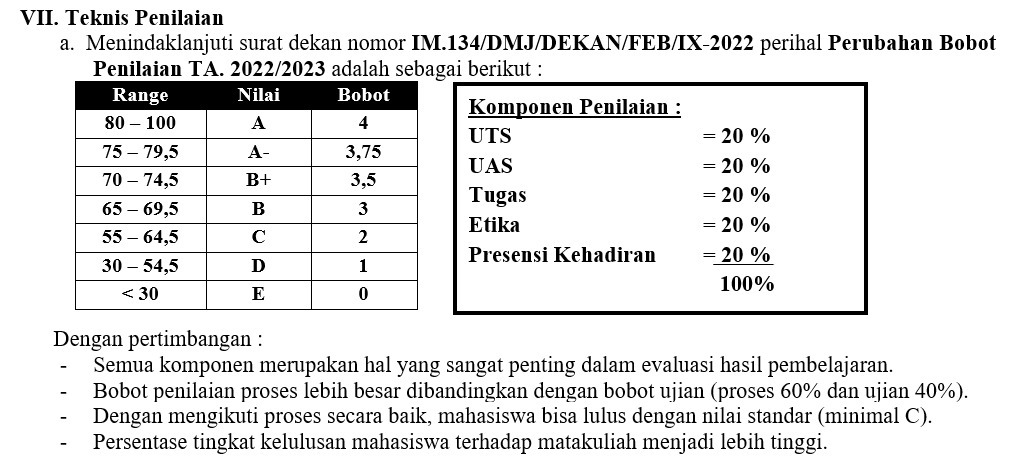
4. Teknik penilaian terdiri dari:
1) observasi
2) partisipasi
3) unjuk kerja
4) test tertulis
5) test lisan
-
-
The first meeting, Day : Wednesday, Date : 25 September, 2024, Time : 14.40 -16.10, Topic : Computer Definition
Definisi komputer
- Komponen perangkat keras dan perangkat lunak
- Fungsi dan jenis sistem operasi-
Siswa harusTandai selesai
What is a computer?
A computer is an electronic device that manipulates information, or data. It has the ability to store, retrieve, and process data. You may already know that you can use a computer to type documents, send email, play games, and browse the Web. You can also use it to edit or create spreadsheets, presentations, and even videos.
Watch the video below to learn about different types of computers.
Looking for the old version of this video? You can still view it
.Hardware vs. software
Before we talk about different types of computers, let's talk about two things all computers have in common: hardware and software.
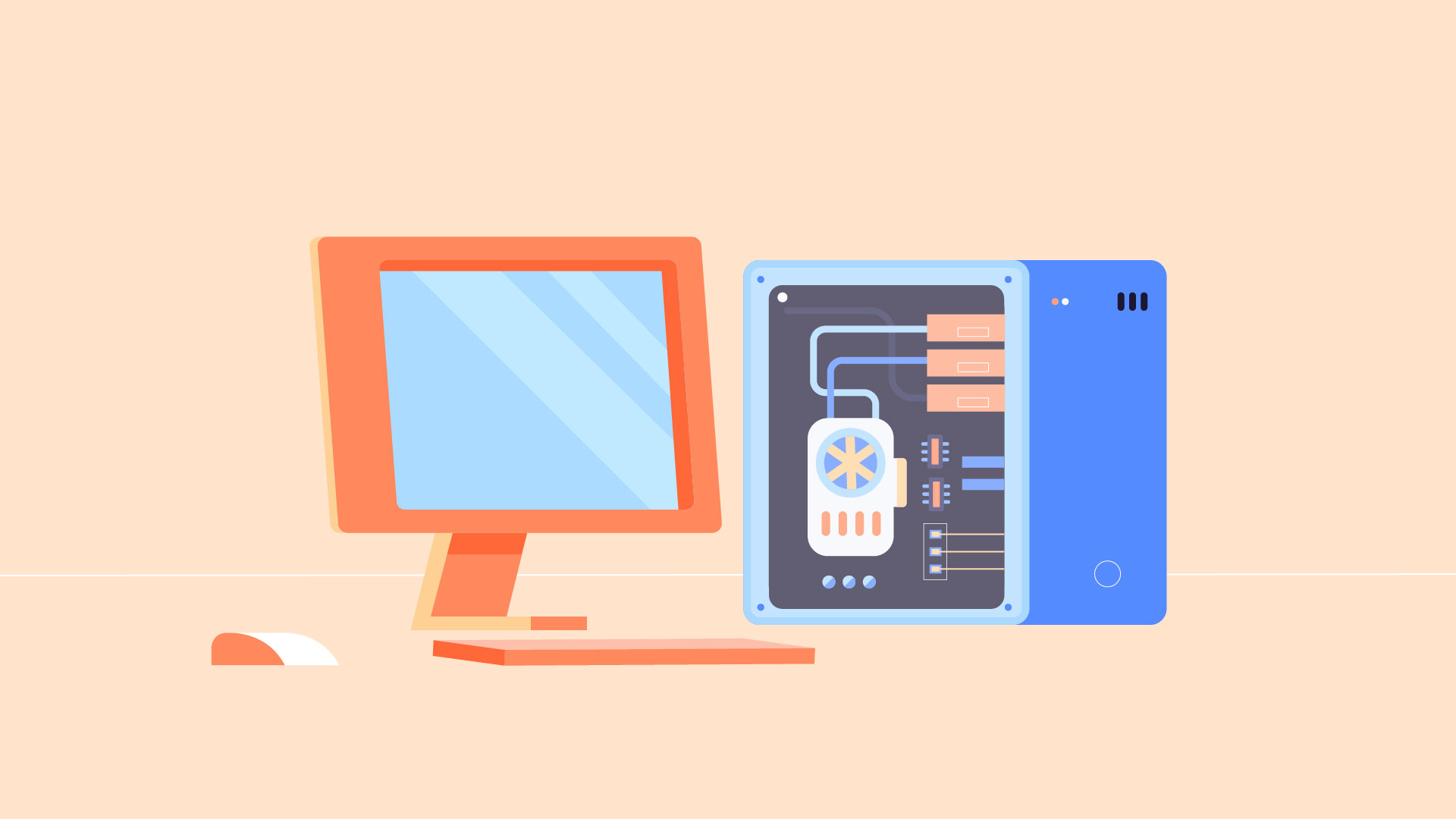
- Hardware is any part of your computer that has a physical structure, such as the keyboard or mouse. It also includes all of the computer's internal parts, which you can see in the image below.

- Software is any set of instructions that tells the hardware what to do and how to do it. Examples of software include web browsers, games, and word processors.

Everything you do on your computer will rely on both hardware and software. For example, right now you may be viewing this lesson in a web browser (software) and using your mouse (hardware) to click from page to page. As you learn about different types of computers, ask yourself about the differences in their hardware. As you progress through this tutorial, you'll see that different types of computers also often use different types of software.
What are the different types of computers?
When most people hear the word computer, they think of a personal computer such as a desktop or laptop. However, computers come in many shapes and sizes, and they perform many different functions in our daily lives. When you withdraw cash from an ATM, scan groceries at the store, or use a calculator, you're using a type of computer.
Desktop computers

Many people use desktop computers at work, home, and school. Desktop computers are designed to be placed on a desk, and they're typically made up of a few different parts, including the computer case, monitor, keyboard, and mouse.
Laptop computers

The second type of computer you may be familiar with is a laptop computer, commonly called a laptop. Laptops are battery-powered computers that are more portable than desktops, allowing you to use them almost anywhere.
Tablet computers

Tablet computersΓÇöor tabletsΓÇöare handheld computers that are even more portable than laptops. Instead of a keyboard and mouse, tablets use a touch-sensitive screen for typing and navigation. The iPad is an example of a tablet.
Servers
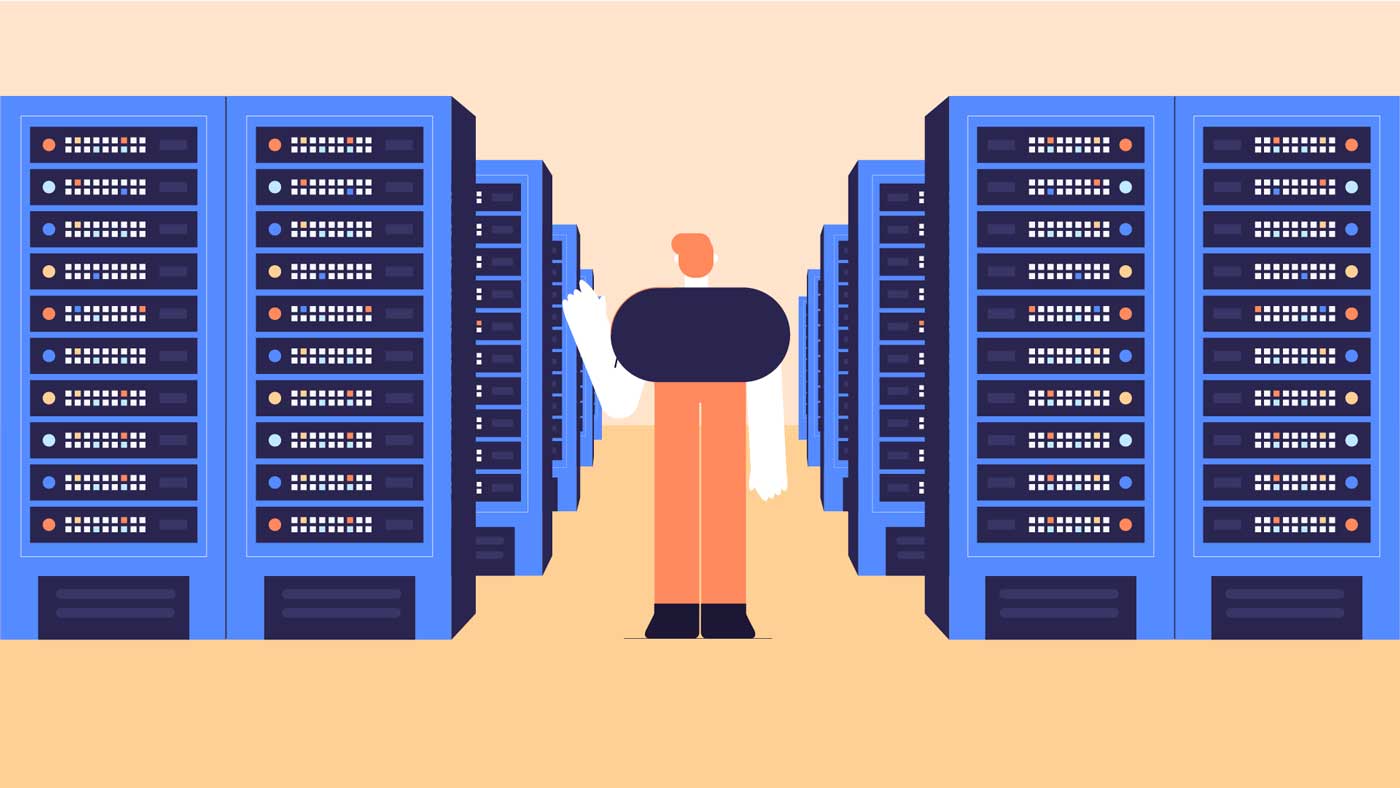
A server is a computer that serves up information to other computers on a network. For example, whenever you use the Internet, you're looking at something that's stored on a server. Many businesses also use local file servers to store and share files internally.
Other types of computers
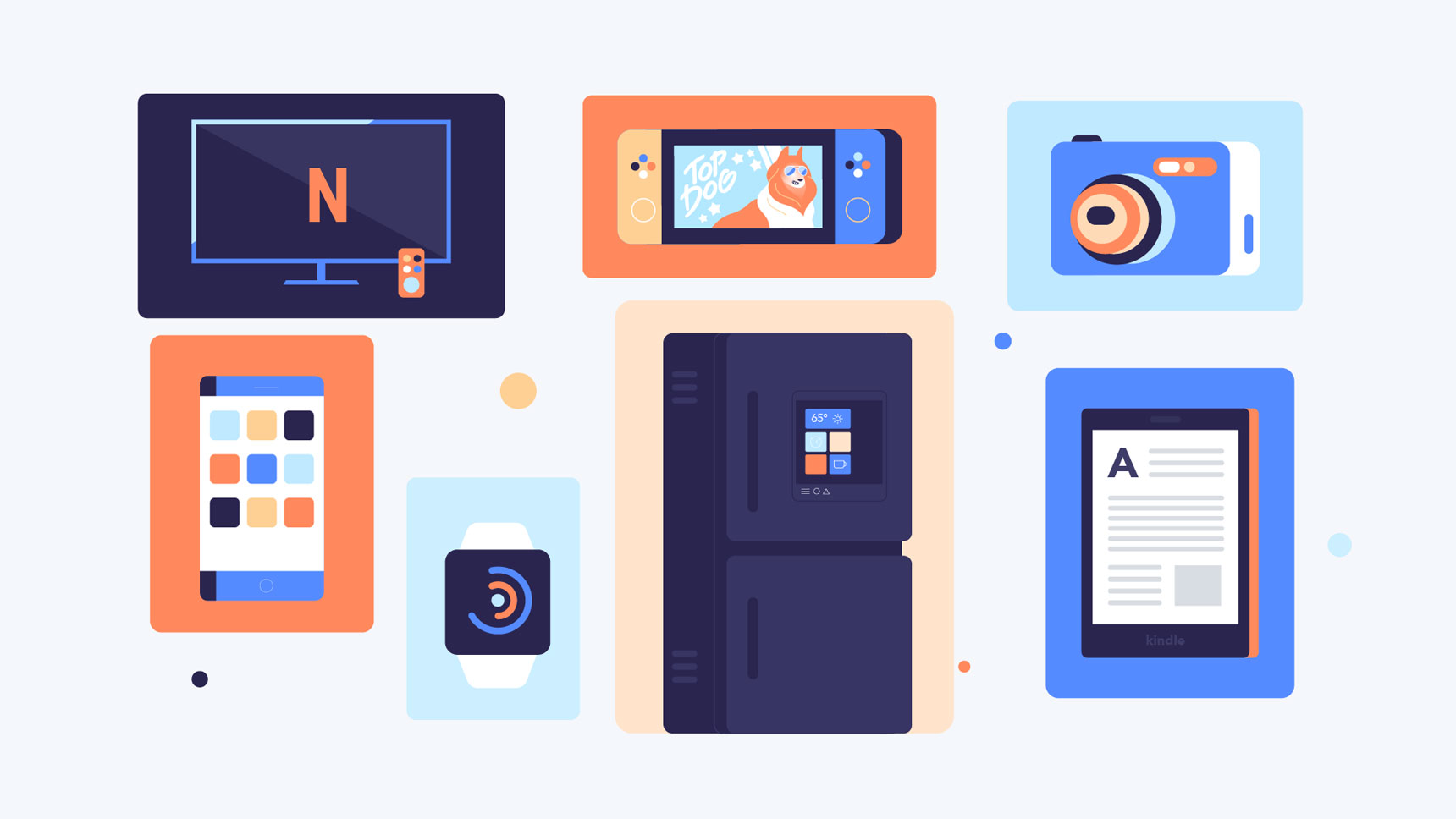
Many of today's electronics are basically specialized computers, though we don't always think of them that way. Here are a few common examples.
- Smartphones: Many cell phones can do a lot of things computers can do, including browsing the Internet and playing games. They are often called smartphones.
- Wearables: Wearable technology is a general term for a group of devicesΓÇöincluding fitness trackers and smartwatchesΓÇöthat are designed to be worn throughout the day. These devices are often called wearables for short.
- Game consoles: A game console is a specialized type of computer that is used for playing video games on your TV.
- TVs: Many TVs now include applicationsΓÇöor appsΓÇöthat let you access various types of online content. For example, you can stream video from the Internet directly onto your TV.
PCs and Macs
Personal computers come in two main styles: PC and Mac. Both are fully functional, but they have a different look and feel, and many people prefer one or the other.
PCs
This type of computer began with the original IBM PC that was introduced in 1981. Other companies began creating similar computers, which were called IBM PC Compatible (often shortened to PC). Today, this is the most common type of personal computer, and it typically includes the Microsoft Windows operating system.
Macs

The Macintosh computer was introduced in 1984, and it was the first widely sold personal computer with a graphical user interface, or GUI (pronounced gooey). All Macs are made by one company (Apple), and they almost always use the Mac OS X operating system.
- Hardware is any part of your computer that has a physical structure, such as the keyboard or mouse. It also includes all of the computer's internal parts, which you can see in the image below.
-
Siswa harusTandai selesai
a. Practice: Role Play (Buying a computer)
Mark: Hi, Jessica! I just bought my first computer, but IΓÇÖm confused about operating systems. Can you help?
Jessica: Sure, Mark! Operating systems manage all the hardware and software on your computer. Do you know which one you have?
Mark: I think itΓÇÖs Windows. I see that name a lot.
Jessica: Good choice! Windows is user-friendly and compatible with most applications, widely used in both personal and business settings.
Mark: IΓÇÖve heard about macOS too. WhatΓÇÖs the difference?
Jessica: macOS is for Apple computers, known for its sleek design and strong security, but it has fewer software options compared to Windows.
Mark: What about Linux?
Jessica: Linux is open-source and customizable, popular among developers, but it can be challenging for beginners.
Mark: That sounds interesting but intimidating.
Jessica: It can be! Stick with Windows for now; it supports most software.
Mark: Do I need to worry about updating the OS?
Jessica: Yes, updates are crucial for security and performance. Most systems notify you when updates are available.
Mark: Thanks for the info, Jessica! I feel more confident about my new computer.
Jessica: Anytime, Mark! Feel free to ask if you have more questions.
a. Practice: Role Play
Pair students and assign roles (buyer and salesperson). The buyer asks questions about different types of computers and their specifications, while the salesperson provides information about desktops, laptops, tablets, and operating systems.
-
Siswa harusTandai selesai
I. WRITING: Components of a Computer
- Choose three components of a computer (e.g., CPU, RAM, Hard Drive, or Monitor) and one operating system (e.g., Windows, macOS, or Linux).
- Then, write a short paragraph describing each component and the operating system in simple, clear language. Each paragraph should answer:
- What is it?
- What does it do?
- Why is it important?
- Example Paragraph:
- CPU (Central
Processing Unit):
"The CPU, or Central Processing Unit, is often called the 'brain' of the computer. It processes all the instructions from software and performs calculations quickly. Without the CPU, the computer wouldn't be able to run any programs or complete tasks."
o Operating System (Windows):
"Windows is an operating system created by Microsoft. It manages the computer's hardware and software, allowing users to easily interact with their devices. Windows is popular because of its user-friendly interface and wide compatibility with different programs."- Once finished, exchange your descriptions with a partner, who will read and offer feedback on clarity and simplicity.
-
-
The second meeting, Day : Wednesday, Date : 3 October, 2024, Time : 14.40-16.10, Topic Definition of Computer
Definisi komputer
- Komponen perangkat keras dan perangkat lunak
- Fungsi dan jenis sistem operasi-
-
Siswa harusTandai selesai
I. READING COMPREHENSION
a. Read the passage carefully, and then answer the following questions
Understanding Computer Hardware and Operating Systems
 Computers are integral to modern life,
serving various purposes across different sectors. At their core, computers
consist of hardware components such as the central processing unit (CPU),
memory (RAM), storage (hard drives or SSDs), and input/output devices (like
keyboards and monitors). The CPU acts as the brain of the computer, processing
instructions and managing tasks. Memory temporarily stores data that the CPU
needs to access quickly, while storage holds data and applications for
long-term use.
Computers are integral to modern life,
serving various purposes across different sectors. At their core, computers
consist of hardware components such as the central processing unit (CPU),
memory (RAM), storage (hard drives or SSDs), and input/output devices (like
keyboards and monitors). The CPU acts as the brain of the computer, processing
instructions and managing tasks. Memory temporarily stores data that the CPU
needs to access quickly, while storage holds data and applications for
long-term use.There are several types of computers, including desktops, laptops, tablets, and servers. Desktops are often used in offices and homes due to their powerful performance and upgradeability. Laptops offer portability, allowing users to work on the go. Tablets, while limited in functionality compared to desktops and laptops, are convenient for browsing the web and consuming media.
Operating systems (OS) are essential software that manage the computer's hardware and provide a platform for applications to run. Popular operat ing systems include Microsoft Windows, Apple's macOS, and Linux. Each OS has its features and user interface, catering to different user preferences and needs. Understanding the basics of computer hardware and operating systems is crucial for anyone looking to navigate the digital world effectively.
(Source: Patterson, D. A. (2018). Understanding Computer Architecture. Morgan Kaufmann.)
b. Answer these questions briefly.
1. What are the main hardware components of a computer?
2. What is the primary function of the CPU in a computer?
3. How does memory (RAM) differ from storage in a computer?
4. List three types of computers mentioned in the text.
5. Why are desktops often preferred in offices and homes?
6. What advantage do laptops provide compared to desktops?
7. What are tablets primarily used for, according to the text?
8. What role do operating systems (OS) play in a computer?
9. Name three popular operating systems mentioned in the reading.
10. Why is understanding computer hardware and operating systems important for users?
c. Match the word/ phrase with its definition.
No
Vocabulary
Definition
1
Upgradeability
a) A type of computer that is portable and suitable for mobile use.
2
Multimedia
b) Devices that allow users to input data into a computer and receive output from it (e.g., keyboard, monitor).
3
Memory (RAM)
c) The software that manages computer hardware and provides a platform for applications to run.
4
Input/Output Devices
d) The ability to enhance or expand a computer's capabilities by adding components or software.
5
Operating System (OS)
e) A computer designed to be used on a desk, typically more powerful than a laptop.
6
Storage
f) A type of computer that is flat and touchscreen-based, often used for browsing the web and consuming media.
7
Tablet
g) The component that acts as the brain of the computer, processing instructions.
8
Desktop
h) A type of computer that can perform calculations and store information for immediate access.
9
Central Processing Unit (CPU)
i) The capacity to hold data and applications for long-term use (e.g., hard drives, SSDs).
10
Laptop
j) Content that includes text, audio, images, and video.
-
Siswa harusTandai selesai
I. GRAMMAR POINTS: Parts of Speech
In the context of computer basics and operating systems, parts of speech help us understand how words function in sentences.
o Nouns: These are names of things or concepts. For example, "computer," "CPU," and "software" are all nouns that refer to different components of a computer system.
o Verbs: Verbs show actions or states of being. In our topic, verbs like "process," "store," and "manage" describe what computers do.
o Adjectives: Adjectives modify nouns, giving more detail. Words like "powerful" (describing desktops) or "convenient" (describing tablets) help us understand the features of different computers.
o Adverbs: Adverbs modify verbs, adjectives, or other adverbs, often explaining how actions are performed. For instance, "quickly" in "access quickly" describes how data is accessed.
o Prepositions: These words show relationships between nouns. In the phrase "across different sectors," "across" indicates the range of applications for computers.
o Conjunctions: Conjunctions connect words or groups of words. For example, "and" links "hardware" and "software," showing how they work together.
o Pronouns: Pronouns replace nouns to avoid repetition. In our context, "it" can refer to a computer or an operating system mentioned earlier.
a. Identify the part of speech for each underlined word in the sentences below. Choose from the following options: Noun, Verb, Adjective, Adverb, Preposition, Conjunction, Pronoun.
- The computer processes data efficiently.
- She bought a powerful laptop for gaming.
- The CPU can manage multiple tasks at once.
- Quickly, the program loaded and displayed results.
- The files are stored on the external drive.
- Both the software and hardware need updates.
- It is essential to understand how an operating system works.
- The software allows users to create presentations easily.
- The data was retrieved from the cloud storage.
- The laptop is convenient because it is portable.
o What is it?
o What does it do?
o Why is it important?
3. Example Paragraph: o CPU (Central Processing Unit): "The CPU, or Central Processing Unit, is often called the 'brain' of the computer. It processes all the instructions from software and performs calculations quickly. Without the CPU, the computer wouldn't be able to run any programs or complete tasks." o Operating System (Windows): "Windows is an operating system created by Microsoft. It manages the computer's hardware and software, allowing users to easily interact with their devices. Windows is popular because of its user-friendly interface and wide compatibility with different programs."
4. Once finished, exchange your descriptions with a partner, who will read and offer feedback on clarity and simplicity.
-
-
The third meeting, Day : Thursday, Date : 9 October 2024, Time : 14.40 - 16.10, Topic : Office Aplication
- Aplikasi perkantoran (Word, Excel, PowerPoint)
- Alat kolaborasi online-
-
Siswa harusTandai selesai
Lesson 2 Software Applications and Productivity Tools
I. READING COMPREHENSION a. Read the passage carefully, and then answer the following questions
Productivity Tools and Software Applications in the Modern Workplace Software applications are programs designed to help users perform specific tasks on their computers. These applications range from simple tools to complex systems that drive businesses. Among the most commonly used productivity tools are word processors, spreadsheets, and presentation software. Word processors like Microsoft Word and Google Docs allow users to create, edit, and format text documents. These tools are essential for writing reports, letters, and essays. Spreadsheets, such as Microsoft Excel and Google Sheets, provide a platform for organizing, analyzing, and visualizing data. Users can perform calculations, create charts, and manage budgets using these applications. Presentation software, like Microsoft PowerPoint and Google Slides, enables users to create visual presentations to communicate ideas effectively. In recent years, cloud-based applications have revolutionized the way we work. Platforms like Google Workspakspace and Microsoft 365 allow for real-time collaboration, enabling multiple users to work on a document simultaneo usly from different locations. This flexibility has transformed team dynamics, making remote work more accessible and efficient. Understanding how to use these productivity tools effectively is vital for both personal and professional success. (Source: Lewis, J. G. (2020). The Evolution of Office Software: From Word Processors to CloudBased Suites. Journal of Software Engineering.)
-
Siswa harusTandai selesai
Decide whether the following statements are True, False, or Not Clear (if the information isnΓÇÖt provided in the text).
1. Microsoft Word is a type of word processor.
2. Google Docs is used for creating spreadsheets.
3. Spreadsheets allow users to perform calculations and create charts.
4. Presentation software is used to edit text documents.
5. Cloud-based applications enable real-time collaboration from different locations.
6. Microsoft Excel is only used for managing budgets.
7. Google Workspace is an example of a cloud-based platform.
8. Presentation software is becoming less popular.
9. Cloud-based applications have made remote work easier.
10. Word processors can create visual presentations.
Fill in the blanks with the correct word or phrase from the text.
1. Software applications are programs designed to help users perform __________ tasks on their computers.
2. Word processors allow users to create, edit, and format __________ documents.
3. Spreadsheets are used for organizing, analyzing, and visualizing __________.
4. Presentation software enables users to create __________ to communicate ideas effectively.
5. Cloud-based applications have revolutionized the way we __________.
6. Microsoft 365 allows for real-time __________ between users from different locations.
7. Using productivity tools effectively is essential for personal and __________ success.
8. Google Workspace and Microsoft 365 are examples of __________ platforms.
9. Users can perform __________ and manage budgets using spreadsheets.
10. Word processors like Microsoft Word are essential for writing reports, letters, and __________.
-
-
The fourth Mettings, Day : Wednesday, Date : 16 October, 2024, Time : 14.40-16.10, Topic : Office Application
Lesson 2
- Aplikasi perkantoran (Word, Excel, PowerPoint)
- Alat kolaborasi online-
-
-
Siswa harusTandai selesai
GRAMMAR POINTS: Simple Present Tense
In the context of software applications and productivity tools, the simple present tense is used to describe actions, facts, or general truths that are habitual or constant. This tense is particularly useful when discussing how these tools function and their impact on users in the modern workplace.
Structure of Simple Present Tense:
 Affirmative Sentences: Subject + base form of the verb (add "s" or "es" for third-person singular).
o Example: "Software applications help users perform specific tasks."
 Negative Sentences: Subject + do/does + not + base form of the verb.
o Example: "Cloud-based applications do not require installation."
 Interrogative Sentences: Do/Does + subject + base form of the verb?
o Example: "Does Microsoft Excel allow users to analyze data?"
g. Fill in the blanks with the correct form of the verb in parentheses using the simple present tense.
1. Microsoft Word ______ (allow) users to create and edit documents.
2. Google Sheets ______ (provide) tools for data analysis.
3. Users ______ (use) spreadsheets to manage budgets effectively.
4. Presentation software ______ (help) in communicating ideas visually.
5. Many professionals ______ (prefer) cloud-based applications for collaboration.
6. Software applications ______ (assist) in automating repetitive tasks.
7. Word processors ______ (not require) an internet connection to function.
8. Remote teams ______ (benefit) from real-time collaboration tools.
9. Users often ______ (create) charts to visualize data.
10. Microsoft PowerPoint ______ (enable) users to design engaging presentations.
h. Rewrite the following sentences in the simple present tense.
1. Yesterday, I created a document using Google Docs.
2. They are using Microsoft Excel for their data analysis.
3. She will present her ideas using PowerPoint tomorrow.
4. He edited the report last week in Word.
5. The software was helpful for managing projects.
-
-
The fifth meetings, Date : 23 rd October, 2024, Day : Wednesday, Time : 14.40-16.00, Topic : Internet and Online Safety
Internet and Online Safety
- Prinsip dasar internet
- Ancaman online dan cara melindungi diri.-
Siswa harusTandai selesai
Lesson 3
Internet and Online Safety
I. READING COMPREHENSION
a. Read the passage carefully, and then answer the following questions
Navigating the Internet Safely
Software applications are programs designed to help users perform specific tasks on their computers. These applications range from simple tools to complex systems that drive businesses. Among the most commonly used productivity tools are word processors, spreadsheets, and presentation software.
Word
processors like Microsoft Word and Google Docs allow users to create, edit, and
format text documents. These tools are essential for writing reports, letters,
and essays. Spreadsheets, such as Microsoft Excel and Google Sheets, provide a
platform for organizing, analyzing, and visualizing data. Users can perform calculations,
create charts, and manage budgets using these applications. Presentation
software, like Microsoft PowerPoint and Google Slides, enables users to create
visual presentations to communicate ideas effectively.In recent years, cloud-based applications have revolutionized the way we work. Platforms like Google Workspace and Microsoft 365 allow for real-tim e collaboration, enabling multiple users to work on a document simultaneously from different locations. This flexibility has transformed team dynamics, making remote work more accessible and efficient. Understanding how to use these productivity tools effectively is vital for both personal and professional success.
(Source: Lewis, J. G. (2020). The Evolution of Office Software: From Word Processors to Cloud-Based Suites. Journal of Software Engineering.)
b. Decide whether the following statements are True, False, or Not Clear (if the information isnΓÇÖt provided in the text).
1. The internet only provides opportunities for entertainment.
2. Phishing is a method used by cybercriminals to steal personal information.
3. Strong passwords should include only letters.
4. Two-factor authentication adds an extra layer of security to online accounts.
5. Users should ignore unsolicited emails and messages without any verification.
6. Changing passwords regularly is unnecessary for maintaining online safety.
7. The internet is entirely free from risks.
8. Using a mix of letters, numbers, and symbols is recommended for creating strong passwords.
9. Only large companies need to worry about online safety.
10. Users can fully protect themselves from online threats by using a strong password alone.
____
____
____
____
____
____
____
____
____
____
-
Siswa harusTandai selesai
a. Fill in the blanks with the appropriate words from the word bank.
Security
Malware
Data breach
Password
Unsolicited
Phishing
Vigilant
Firewall
Authentication
Encryption
1. __________ is a technique used by cybercriminals to deceive individuals into providing personal information.
2. It is important to create a strong __________ that includes letters, numbers, and symbols.
3. Enabling two-factor __________ adds an extra layer of security to your accounts.
4. Users should remain __________ and check the source of emails before clicking on links.
5. Always be cautious of __________ messages that ask for sensitive information.
6. __________ helps protect your computer from unauthorized access by filtering network traffic.
7. In case of a __________, personal information can be exposed to cybercriminals.
8. Using __________ can safeguard sensitive data by making it unreadable to unauthorized users.
9. To enhance online __________, users should regularly update their software and applications.
__________ can slow down your computer and may steal your information if installed.
-
-
The sixth meetings, Day : Thursday, Date : 30 th October 2024, Time : 14.40-16.00, Topic : Internet and Savety
- Aplikasi perkantoran (Word, Excel, PowerPoint)
- Alat kolaborasi online-
Siswa harusTandai selesai
Internet safety
Internet safety, also known as online safety, cyber safety and electronic safety (e-safety), refers to the policies, practices and processes that reduce the harms to people that are enabled by the (mis)use of information technology.
As the number of internet users continues to grow worldwide,[1] internets, governments, and organizations have expressed concerns about the safety of children and teenagers and the elderly using the Internet. Over 45% have announced they have endured some sort of cyber-harassment. Safer Internet Day is celebrated worldwide in February to raise awareness about internet safety.[2] In the UK the Get Safe Online campaign has received sponsorship from government agency Serious Organized Crime Agency (SOCA) and major Internet companies such as Microsoft and eBay.[3]
Online safety is necessary and validated as many businesses have been faced with excesses of attacks on the internet which has resulted in losing oneΓÇÖs life on the part of the victims, committing suicide, or psychological disorderliness. Cyberattacks on businesses and organizations are becoming a growing trend, and Africa is not exempted. The productivity, income, and client trust of organizations are all negatively impacted, not to mention the customers' security.[4]
Information security
Sensitive information such as personal information and identity, passwords are often associated with personal property and privacy and may present security concerns if leaked. Unauthorized access and usage of private information may result in consequences such as identity theft, as well as theft of property. Common causes of information security breaches include:
Phishing
Phishing is a type of scam where the scammers disguise themselves as trustworthy source in an attempt to obtain private information such as passwords, credit card information, etc. through the internet. These fake websites are often designed to look identical to their legitimate counterparts to avoid suspicion from the user.[5] Normally, hackers will send third-party email to target requesting personal information, and they will use this as an entry point to implement attack.[6]
Malware
Malware, particularly spyware, is malicious software designed to collect and transmit private information, such as passwords, without the user's consent or knowledge. They are often distributed through e-mail, software, and files from unofficial locations. Malware is one of the most prevalent security concerns as often it is impossible to determine whether a file is infected, regardless of the source of the file.
Personal safety
The growth of the internet gave rise to many important services accessible to anyone with a connection. One of these important services is digital communication. While this service allowed communication with others through the internet, this also allowed communication with malicious users. While malicious users often use the internet for personal gain, this may not be limited to financial/material gain. This is especially a concern to parents and children, as children are targets of these malicious users. Common threats to personal safety include phishing, internet scams, malware, cyberstalking, cyberbullying, online predators, and sextortion.
Cyberstalking
Cyberstalking is the use of the internet or other electronic means to stalk or harass an individual, group, or organization.[7] It may include false accusations, defamation, slander and libel. It may also include monitoring, identity theft, threats, vandalism, solicitation for sex, or gathering information that may be used to threaten, embarrass or harass. Cyberstalking is a crime in which someone harasses or stalks a victim using electronic or digital means, such as social media, email, instant messaging (IM), or messages posted to a discussion group or forum. ... The terms cyberstalking and cyberbullying are often used interchangeably.
Cyberbullying
Cyberbullying is the use of electronic means such as instant messaging, social media, e-mail and other forms of online communication with the intent to abuse, intimidate, or overpower an individual or group. Over the past decade, cyberbullying has been identified as a significant problem for youth.[8][9] In a 2012 study of over 11,925 students in the United States, it was indicated that 23% of adolescents reported being a victim of cyberbullying, 30% of which reported experiencing suicidal behavior.[10][11] The Australian eSafety Commissioner's website reports that 44% of young Australians report being socially excluded, threatened or abused online.[12]
Sometimes, this takes the form of posting unverifiable and illegal libelous statements on harassment websites.[13] These websites then run advertisements encouraging the victims to pay thousands of dollars to related businesses to get the posts removed ΓÇô temporarily, as opposed to the free and permanent removal process available through major web search engines.[13]
Child-on-child abuse (peer-on-peer abuse) that happens online often falls under cyberbullying. However, it goes much further. It can include physical and sexual abuse or harassment, relationships abuse, grooming and more.[14][15]
Online predation
Online predation is the act of engaging an underage minor in inappropriate sexual relationships through the internet. Online predators may attempt to initiate and seduce minors into relationships through the use of chat rooms or internet forums.
Online grooming
[edit]Online grooming usually refers to child sexual abuse but can also refer to radicalisation, drug trafficking, and financial gain. Grooming is when a stranger targets a child by befriending them and gaining their trust. Once they gain this trust, the groomer can manipulate the child to do what they want, which may include sending sexual images, running drugs, or any number of other activities.[16]
Obscene/offensive content
[edit]Various websites on the internet content material that some deem offensive, distasteful or explicit, which may often be not of the user's liking. Such websites may include internet, shock sites, hate speech or otherwise inflammatory content. Such content may manifest in many ways, such as pop-up ads and unsuspecting links.[17]
Sextortion
[edit]Sextortion, especially via the use of webcams, is a concern, especially for those who use webcams for flirting and cybersex.[18][19] Often this involves a cybercriminal posing as someone else - such as an attractive person - initiating communication of a sexual nature with the victim. The victim is then persuaded to undress in front of a webcam, and may also be persuaded to engage in sexual behaviour, such as masturbation.[20] The video is recorded by the cybercriminal, who then reveals their true intent and demands money or other services (such as more explicit images of the victim, in cases of online predation), threatening to publicly release the video and send it to family members and friends of the victim if they do not comply.[20] A video highlighting the dangers of sextortion has been released by the National Crime Agency[21] in the UK to educate people, especially given the fact that blackmail of a sexual nature may cause humiliation to a sufficient extent to cause the victim to take their own life,[19] in addition to other efforts to educate the public on the risks of sextortion.[18]
-
-
The seventh meeting, Day : Thursday, Date : 6 November 2024, Time : 14.00 - 16.00, Topic : Advanced Software Skill
- Penggunaan fitur lanjutan di Excel (fungsi, grafik)
- Manajemen proyek dengan alat digital-
Siswa harusTandai selesai
15 advanced software engineer skills for your resume and career
1. Java
Java is a high-level, class-based, object-oriented programming language. Advanced software engineers use Java in various ways, such as developing web user interfaces, creating separate Java processes for launching rule engines, and integrating software with other programs. They also use Java to implement business logic, parse and serialize XML, and develop utility tools to communicate with other languages like Matlab.
Here's how advanced software engineers use java:- Worked on Java interaction with turbine Performance measuring application.
- Developed and presided over a web user interface using Java Applets, Java RMI & CGI.
2. Python
Python is a high-level programming language. Advanced software engineers use python in various ways. They develop scripts for automation, implement test scripts to verify system software, and manage feature development for workload planning. They also use python for vulnerability remediation and developing serial communication programs to automate test procedures.
Here's how advanced software engineers use python:- Developed python scripts to provide seamless automation between multiple operating systems and tested them to minimize scripts related failures during testing.
- Implemented software test scripts in Python to verify system software against Software Requirements Specification as specified in Software Test Description.
3. Linux
Linux is an open-source operating system. Advanced software engineers use Linux to deploy and test applications on various platforms, design embedded systems, and develop library routines for data and communications. They also use Linux to automate reports and reconciliations, boosting productivity.
Here's how advanced software engineers use linux:- Deployed and tested the application in Tomcat, Weblogic and Websphere application servers on Windows, Linux and Solaris platforms.
- Developed and maintained an ISP-class Linux server that delivered nationwide personalized television electronic program guide data to browser-equipped TVs.
4. C
C is a general-purpose programming language. Advanced software engineers use C to develop and maintain software, create embedded software, and develop real-time software for remotely operated equipment. As Dr. Jonathan Denning, Associate Professor and Department Co-chair at Taylor University, puts it, "The important skill to hone is in communicating. If you know how to talk with people and to understand their problems, then you will be able to find a solution that is good for them."
Here's how advanced software engineers use c:- Develop and maintain software (approximately 80 programs) for testers /servers in C, C++, and Pascal.
- Developed embedded PowerPC 565 software in C for a Trimble GPS receiver.
5. C++
C++ is a programming language. Advanced software engineers use C++ to create automated processes, develop tools, and enhance existing systems. They also use it to develop games and online software. For example, they might use C++ to generate source code from Action Script or develop a spatial data server for a geographic information system.
Here's how advanced software engineers use c++:- Created an automated process for generating c++ source code from Action Script to facilitate a UML based modeling object design process.
- Developed PLSXML tool using c++ and OOPS concepts which retrieves the PLSXML commands from the printer to the end user.
6. C Net
C Net is a technology standard for developing network applications. Advanced software engineers use C Net to implement network-based applications. For example, they might use it to create a system for wireless security protocols or a network management security logging interface. They also use it to integrate operating systems and software into a network.
Here's how advanced software engineers use c net:- Implemented in Java EE Standard environment based application for Wireless Security Protocols and providing domain specific network.
- Analyzed basic structure of Mobile system and implemented a basic network of mobile Communication.
7. Code Reviews
Code reviews are the process of thoroughly checking computer code for mistakes. Advanced software engineers use code reviews to validate their work and ensure it meets quality standards. They also use this process to improve performance and catch potential issues early on. For example, they participate in peer code reviews, checking each other's work for reliability and consistency. They also use code reviews as a learning tool, recommending architectural enhancements to improve performance.
Here's how advanced software engineers use code reviews:- Involved in Code reviews and UT reviews.
- Code Reviews, code submission to Perforce after validating dev regression suite on win/unix platforms.
-
Siswa harusTandai selesai
Lesson 4
Advanced Software Skills
I. READING COMPREHENSION
a. Read the passage carefully, and then answer the following questions
Data Visualization
Data visualization is the practice of presenting data in graphical formats, making complex information easier to understand. By transforming raw data into visual representations like charts and graphs, users can quickly identify trends, patterns, and outliers, leading to better decision-making.
Tools such as Tableau and Microsoft Power BI have revolutionized data visualization. These platforms allow users to create interactive dashboards and reports that connect to various data sources, enabling real-time data access. They support a range of visual formatsΓÇöbar charts, line graphs, pie charts, and heat mapsΓÇöhelping organizations convey their messages effectively.
Understanding basic design principles is crucial for impactful visualizations. Clear labeling helps viewers understand data quickly, while appropriate color schemes highlight key information and indicate trends. Logical layouts guide viewers through the data, enhancing comprehension. Adhering to these principles ensures visualizations are both aesthetically pleasing and informative.
Additionally, storytelling in data visualization enriches engagement. By framing data within narratives, organizations can make information resonate on a personal level. For example, presenting sales data alongside customer feedback provides deeper insights into market trends.
Ultimately, data visualization transforms complex data into actionable insights, facilitating discussions and informed decisions. As data-driven decision-making becomes increasingly important, mastering data visualization skills will be vital for professionals across various fields.
(Source: Few, S. (2012). Show Me the Numbers: Designing Tables and Graphs to Enlighten. Analytics Press.)
b. Answer the following questions briefly.
1. How does data visualization help in making complex information more understandable?
2. What are some common types of visual representations used in data visualization, and when might you use each?
3. Describe a situation where data visualization could significantly impact decision-making.
4. How do tools like Tableau and Microsoft Power BI enhance the data visualization process?
5. What design principles do you think are most important for creating effective data visualizations?
6. Can you explain how storytelling can improve the effectiveness of data visualization?
7. How can color schemes influence the interpretation of data in visualizations?
8. In your opinion, what challenges might arise when creating a data visualization?
9. How do you think data visualization will evolve in the future?
10. What skills do you believe are essential for someone working in data visualization?
c. Decide whether the following statements are True, False, or Not Clear (if the information isnΓÇÖt provided in the text).
1. Data visualization only involves creating bar charts.
2. Interactive dashboards can provide real-time data access.
3. Clear labeling is not important in data visualization.
4. Storytelling has no role in data visualization.
5. Data visualization cannot help in identifying trends.
6. Data visualization is primarily used in marketing and has no applications in other fields.
7. Effective data visualizations can lead to better decision-making in organizations.
8. Color schemes used in visualizations can affect how viewers interpret the data.
9. Data visualizations do not need to follow any design principles.
10. Tools like Microsoft Power BI are designed only for advanced users with programming skills.
-
-
SOAL UJIAN TENGAH SEMESTER GANJIL 2024-2025
MATAKULIAH : BAHASA INGGRIS
KELAS : 7TI 3
-
Siswa harusTandai selesai
SOAL UJIAN TENGAH SEMESTER 2024-2025
MATAKULIAH ; BAHASA INGGRIS
KELAS : 7TI3
-
-
The ninth meeting, Day : Monday, Date : 19 May, 2025, Time : 13.00 - 14.30, Topic : Emerging Technologies
Lesson 5
Emerging Technologies
READING COMPREHENSION
a. Read the passage carefully, and then answer the following questions
Emerging Technologies: Shaping the Future. Emerging technologies refer to innovative tools, processes, and concepts that are currently being developed or will be developed in the near future. These technologies have the potential to significantly impact various industries, economies, and societies. Artificial Intelligence (AI) is one of the most talked-about emerging technologies. It involves the creation of algorithms that allow machines to perform tasks that typically require human intelligence, such as understanding natural language, recognizing patterns, and making decisions. AI is already transforming sectors like healthcare, finance, and transportation. For example, AI algorithms can analyze medical data to assist doctors in diagnosing diseases more accurately.
Blockchain technology is another significant development. Originally created for cryptocurrency, blockchain provides a secure and transparent way to record transactions. Its decentralized nature makes it difficult to alter data, which is why it is increasingly used in various fields, including supply chain management and digital identity verification.
Augmented Reality (AR) and Virtual Reality (VR) are also emerging technologies that are changing how we interact with digital content. AR overlays digital information onto the real world, while VR immerses users in a completely virtual environment. These technologies are being used in gaming, education, and training simulations, offering new ways for users to engage with information.
Internet of Things (IoT) connects everyday devices to the internet, allowing them to collect and share data. Smart home devices, such as thermostats and security systems, are examples of IoT in action. This technology enables greater efficiency and convenience, but it also raises concerns about data privacy and security.
Finally, 5G technology is set to revolutionize communication by providing faster internet speeds and more reliable connections. This will enhanc e the capabilities of other emerging technologies, such as IoT and AI, by allowing them to operate more efficiently.
In conclusion, emerging technologies like AI, blockchain, AR/VR, IoT, and 5G are shaping the future across various sectors. While they bring numerous benefits, it is essential to address the challenges and ethical considerations they present to ensure a positive impact on society.
b. Answer the following questions briefly.
1. How do you think AI will influence the job market in the next few years?
2. What are some advantages of using blockchain technology in everyday transactions?
3. In what ways can AR enhance customer experiences in retail?
4. How do you envision the future of IoT in smart cities?
5. What ethical considerations should we keep in mind when developing AI technologies?
6. How does 5G technology impact the growth of emerging technologies?
7. Can you give an example of how VR is being used in education?
8. What challenges do companies face when integrating new technologies like IoT?
9. How can emerging technologies improve healthcare services?
10. What skills do you think will be essential for workers in an increasingly tech-driven world?
c. Decide whether the following statements are True, False, or Not Clear (if the information isnΓÇÖt provided in the text).
1. AI can only perform tasks that require human creativity.
2. Blockchain technology is primarily used for social media platforms.
3. AR provides an immersive virtual environment.
4. IoT devices can help improve energy efficiency in homes.
5. 5G technology will have no impact on existing mobile networks.
6. VR is only used for entertainment purposes.
7. Emerging technologies often raise concerns about data security.
8. Blockchain can be easily altered once data is recorded.
9. AI is a form of technology that can learn and adapt.
10. AR requires special glasses to be experienced.
-